


This post is from 2009 and refers to the Cricut Expression machine.
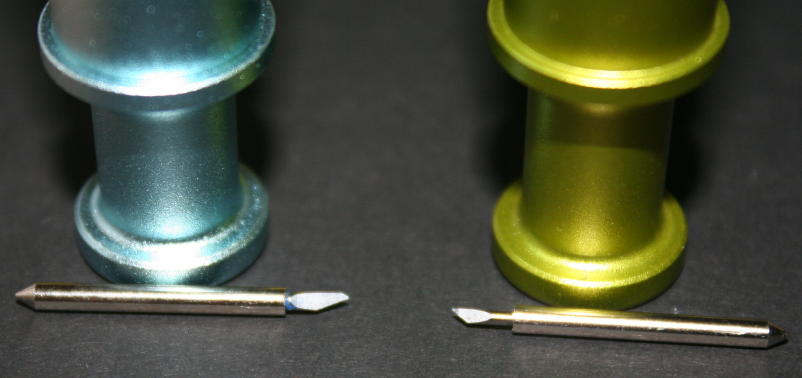
The Regular Blade Housing that comes with the Cricut is Green, unless you have a colored Cricut then it is most likely the color of your machine.
(following info is from Cricut)
The Cricut is really just a paper/cardstock cutter. A range of vellum to Bazzill is very safe. Other products may be tried, both of the thinner or thicker variety, but results are not guaranteed. In fact, using something extreme will most likely void the warranty. We don’t say that to scare you away from experimenting, but there are just too many materials out there to know what the results would be.
That said, the basic guidelines are that the material (paper or otherwise) needs to be stiff and firm enough for the blade to drag through it. So a more stretchy fabric would probably not work, unless it had Wonder-Under or something to keep it in place. Pages 14 and 15 in your Cricut user manual address the various recommended settings for blade length, speed, and pressure settings to use while cutting various types of paper.
Here are some Cricut recommended paper settings to try:
| Cricut™ Paper Settings | ||
| 65# | 80# | Bazzill |
| Speed = Max | Speed = High | Speed = Low |
| Pressure = High | Pressure = Max | Pressure = Max |
| Blade Depth = 4 | Blade Depth = 5 | Blade Depth = 6 |
Deep Cut Blade Settings:
The deep cut blade is recommended for the following media:
Magnet (0.035″/0.80mm thick) with the recommended settings of
Speed 3 (medium)
Pressure 5 (max)
Depth 6
Multi Cut 4
Chipboard (0.059″/1.50mm thick) with the recommended settings of
Speed 3 (medium)
Pressure 4 (high)
Depth 6
Multi Cut 5
Stamp (0.0415″/1.05mm thick) with the recommended settings of
Speed 3 (medium)
Pressure 4(high)
Depth 4.6
Multi Cut 1
Link to Cricut Blades Compared
Remember to REMOVE THE RUBBER ENDED TIP before using your new blade!!! That tip is covering the blade. The rounded end goes up into the housing. When you push down that little plunger at the top, the magnet inside will pull the rounded end securely into the housing.


Do you have any information on blade settings for the Cricut Cake?
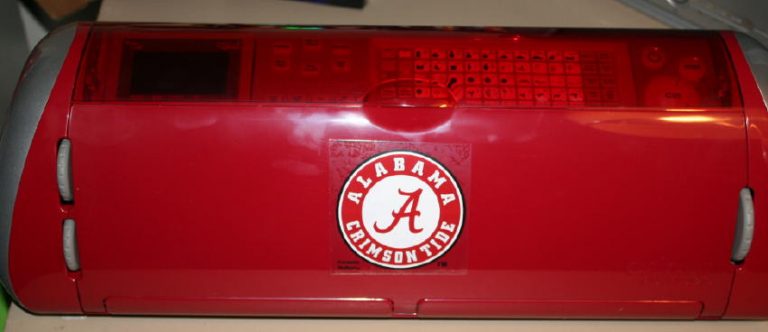
I don’t yet, because I don’t own a Cake. Did you see what I did to create a Cricut “Fake”? It’s my old Cricut Expression turned into a Fake Cricut Cake. Here’s a link to my “Fake” Cricut Cake videos.
~Joy~
Thank you Joy for all the info you pass on to the rest of us. I have used so many of your tips. Have a great new year.
Joy, Thank you for all of your recommendations. Reading your blog truly gets me motivated to use my cricut and scrapbook!!!